SMS opt-in for RoofMetric account messages
This page shows exactly where and how RoofMetric asks for permission to send text messages to the person who owns a RoofMetric account, what that person sees when they are asked, and what we send afterwards. It is public on purpose: no login, no account and no paywall.
1. Where consent is collected
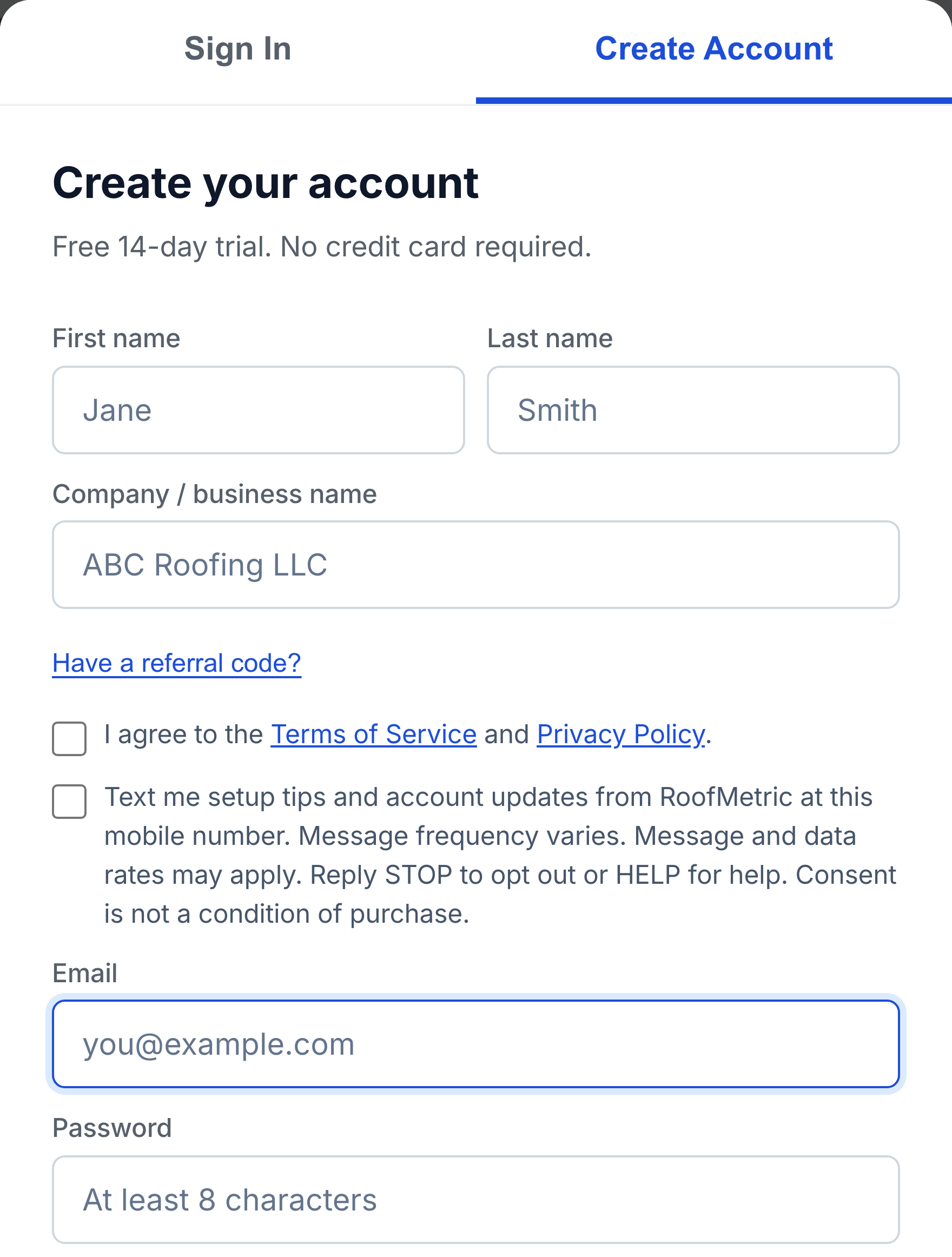
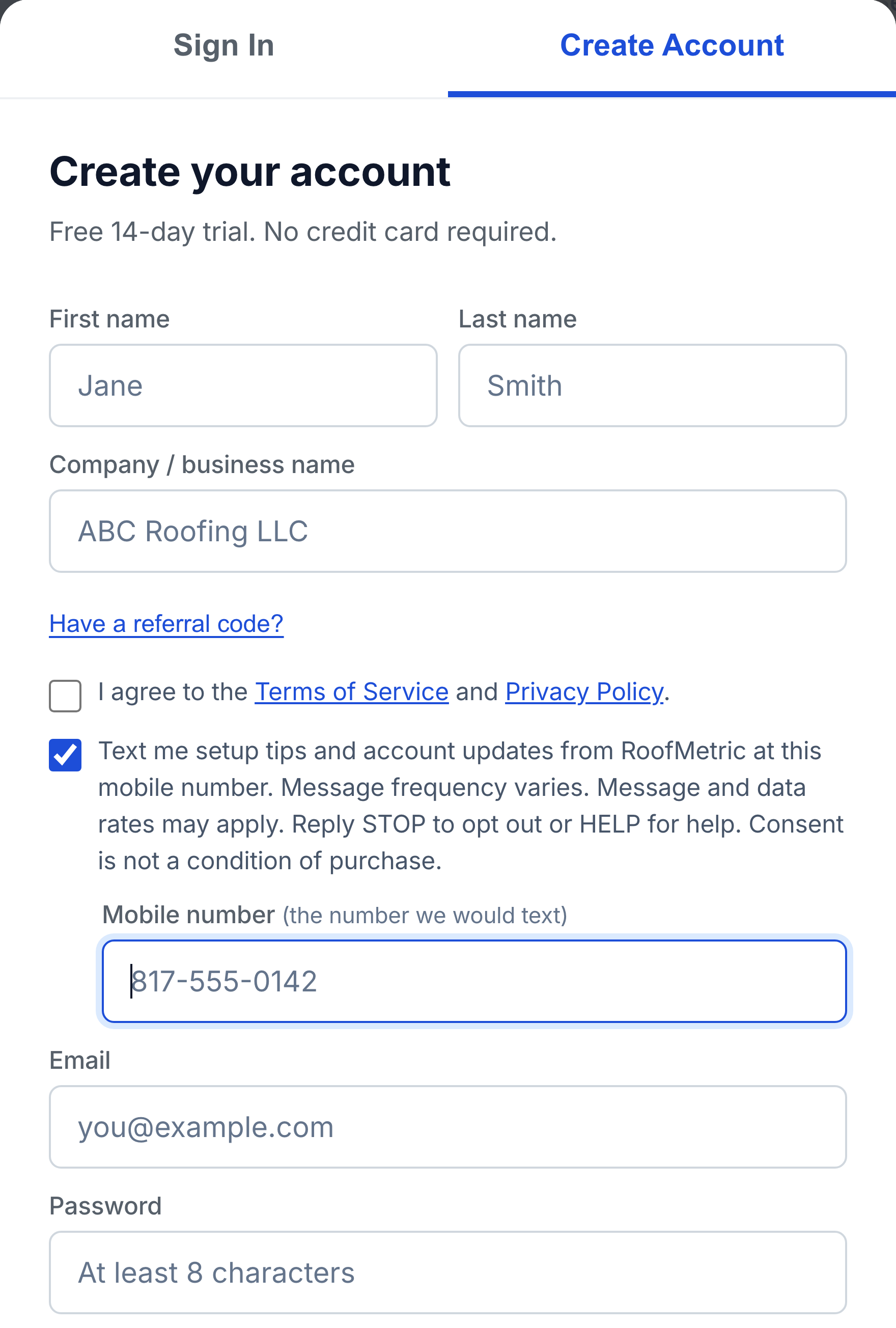
On the public account signup form at https://roof-metric.com/app?signup=1. Anyone can open that link. Nothing is behind a login, and there is no purchase step in front of it. The same form is reachable from the Start free trial buttons on roof-metric.com.
2. The exact wording next to the checkbox
This is the sentence shown on the form, word for word:
When somebody ticks the box we store the date and time, this exact sentence, the page it was shown on, and the IP address and browser the request came from, so that what was agreed to and when is a matter of record.
An account holder who left the box alone at signup can turn the same option on later from Settings inside the product. The sentence they see there is the identical sentence above, drawn from the same single definition in our code, so the screen and the stored consent record cannot drift apart.
3. What we send
Messages about the recipient's own account only: how to get started in the product, a feature they have not tried yet, and the status of their own trial or subscription. No marketing to people who are not account holders, no third party offers, and nothing on behalf of anyone else. Real examples:
4. Frequency, cost and how to stop
| Item | Detail |
|---|---|
| Frequency | Message frequency varies. In practice a small number of messages during a 14 day trial. |
| Cost | Message and data rates may apply. Those are charged by the recipient's mobile carrier, not by us. |
| Opt out | Reply STOP to any message. The option can also be switched off in account settings at any time. |
| Help | Reply HELP, or email support@roof-metric.com. |
| Effect of opting out | None on the account. Opting out of text messages does not change the product, the email, or anything else. |
5. What we do not do with the number
Mobile numbers and consent to be texted are not sold, rented or shared with third parties or affiliates for their own marketing. The number goes only to the providers who deliver the messages on our behalf. This is set out in full in the Privacy Policy, under Text messages we send you (SMS).
6. Related pages
- The signup form itself, public, no login
- Privacy Policy
- Terms of Service
- The Elite Company, the operating company